Ideation and Concept Generation
Background Information
Exhibit Goals
The goal of the team's exhibit is to demonstrate atleast one STEM-based concept in an interactive, web-enabled, physical device. This will require describing how the team's prototype functions along with focusing on the viewer's attention with interactive displays and buttons. The exhibit must also demonstrate a physical action, where pressing the button will activate the device. Another exhibit goal involves engaging the viewer with self-testing and focusing on their attention. This will allow viewers to test their knowledge with the prototype. The prototype must consist of atleast four subsystems, with atleast one individual functionality, microcontroller, 3.3V Switching regulator, and in circuit programming circuitry.
Target Audience
The prototype will be demonstrated at the Innovation Showcase, with the intended audience being for ASU alumni, industry professionals, and other ASU students. The target audience is intended for students K-12 interested in learning about science, technology, engineering, or math. The goal is to inspire new generations and foster curiousity about STEM fields through an interactive experience that highlights innovation.
Ideation
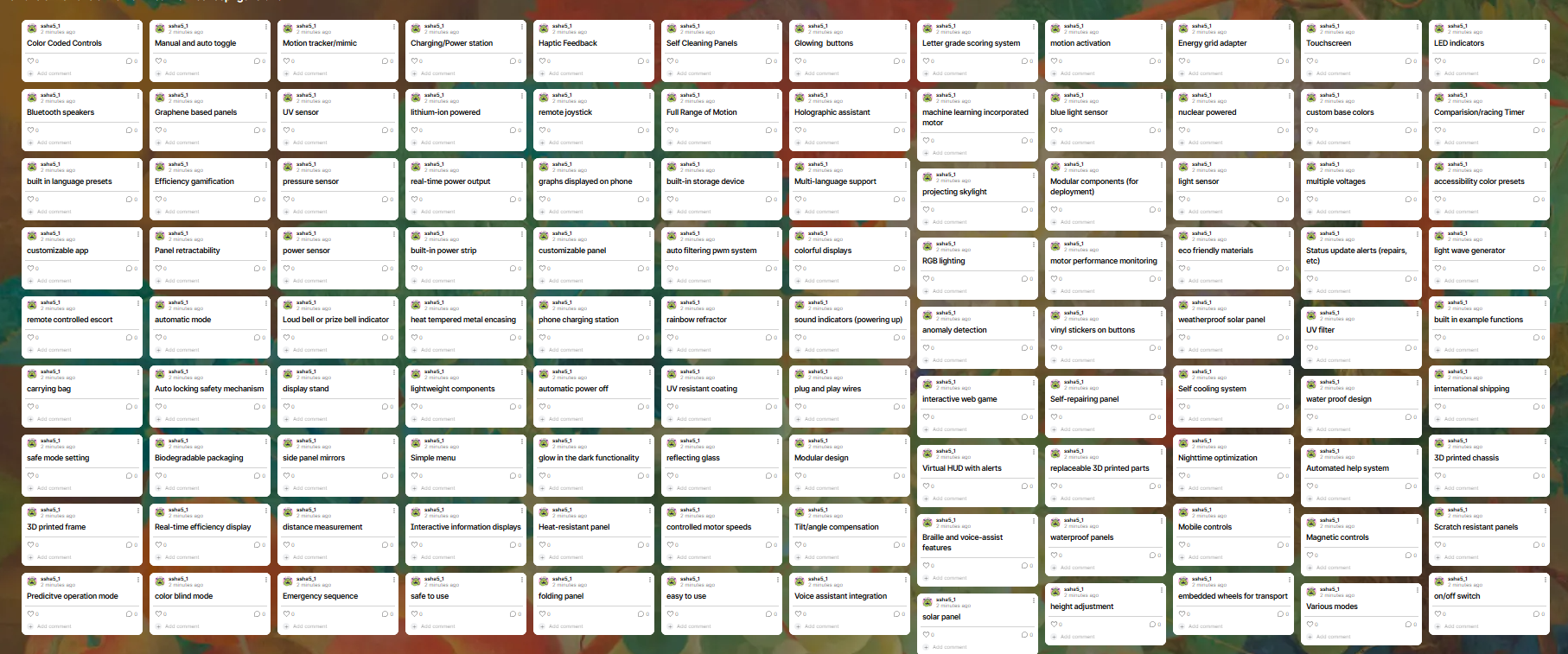
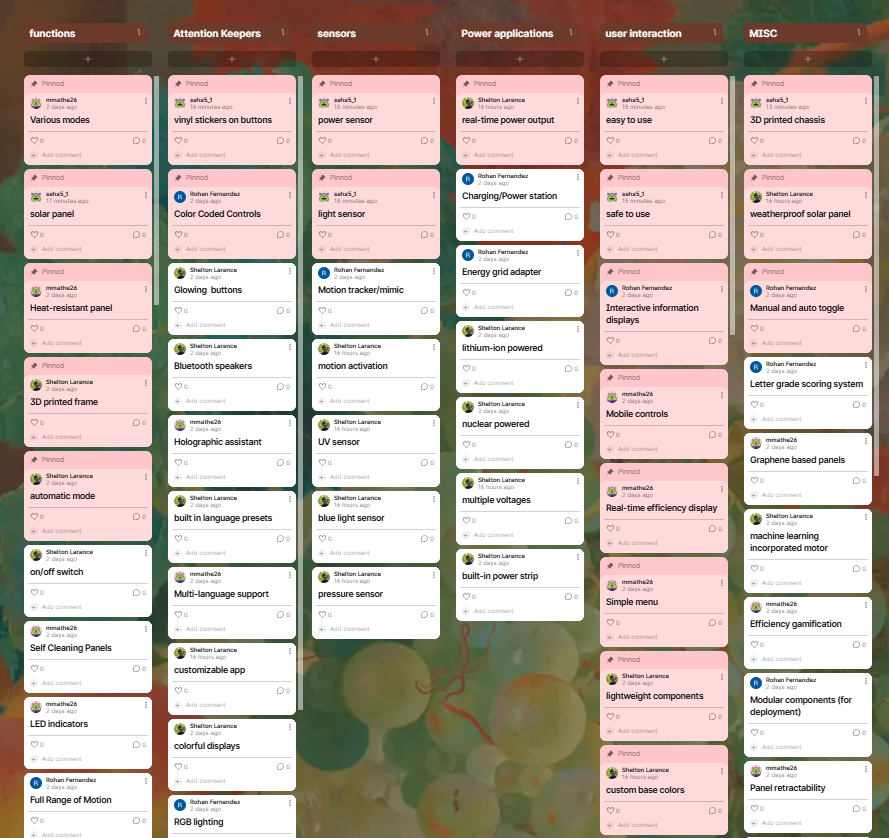
The team performed a product brainstorm to generate 100 ideas on possible products for the project. The team considered durability, safety, and comfort when generating ideas. The team used Padlet to collaborate and generate the ideas. After the 100 ideas were generated, the team grouped ideas thematically, ranking top ideas and combining ideas together to possibly generate new ones. Below are pictures from the brainstorming session along with the grouping process.
Brainstorming
<
Sort, Rank, Group
Concept Generation
Students need an engaging/creative way to learn STEAM-based concepts to foster learning and inspire creativity. Using the brainstorming processes above, the team decided to focus on solar power, a sustainable energy practive that benefits our environment. Combining the ideas generated as highlighted in red, we came up with a solar tracker, a solar panel capable of adjusting itself automatically in response to different light levels radiating from the sun. Our motor-controlled solar panel is designed to create a fun and educational experience for museum visitors, especially students from K-12. With user-controlled buttons, students can directly interact with the device, making it easier to understand solar energy and how panels track sunlight. The combination of optical and power sensors with an LCD display provides real-time brightness and power level readings, helping students visualize how solar energy is captured. To enhance accessibility, Wi-Fi functionality allows users to control the panel remotely using their mobile devices, offering an alternative to the physical buttons. This mix of interactive features ensures an engaging learning experience that accommodates visitors of different age groups and technical backgrounds.
To divide the workload fairly, the project is split among four team members, each handling a crucial part of the system. One teammate is responsible for the stepper motor, ensuring smooth and precise movement of the solar panels. Another will work on the sensors and solar panels, ensuring they function efficiently and integrate well. The third teammate will develop the human-machine interface (HMI), working on the LCD display and button controls to make them simple and intuitive. Lastly, the fourth member will focus on the Wi-Fi connectivity, making sure the mobile interface communicates effectively with the hardware. This balanced division of tasks ensures that every aspect of the project is handled effectively while promoting teamwork. These four subsystems will all communicate over UART through a daisy chain network.
Wi-Fi connectivity plays a key role in this project, allowing students to interact with the solar panel remotely through their mobile devices. This two-way communication system ensures that user commands are sent and executed in real-time while also providing feedback on brightness and power levels. By allowing multiple users to interact at once, this feature adds to the overall accessibility and engagement of the project. The device is designed with both physical buttons and an LCD screen for user-friendly operation. The buttons give users direct control over the motor’s movement, making it easy for younger students to experiment with positioning. The LCD screen displays real-time data from the sensors, showing how light intensity affects energy production. The goal is to make the interface simple and easy to use so that all visitors, regardless of age or experience, can enjoy a smooth and frustration-free learning process. The system also integrates sensors and actuators for a responsive, interactive experience. Optical and power sensors detect light intensity and adjust the display to reflect power output changes. The stepper motor moves the solar panels, allowing users to observe the impact of positioning on energy absorption. With these components working together, the project meets the requirement for sensor and actuator-based controlled responses, creating a hands-on and educational experience for students.
Exhibit Rationale
- What kinds of cues will you provide to make the use of your device easier?
Visual cues such as color-coded buttons and changes to the LCD display will help guide users through the interaction of the device. Immediate feedback will also display on the LCD display to show the effects of user actions such as displaying the current power generation from the solar panel based on manual control of the stepper motor.
- How do you plan on designing your "controls"?
The buttons will be labeled clearly with simple icons, such as arrows for movement and a sun icon for starting or stopping the panel’s tracking. This ensures that even younger students can quickly understand the function of each button. This will be done using vinyl sticker cutouts. WiFi integration will also be used so other students can access the system, displaying current power levels so they can see how solar panels change based on light.
- What role will durability, safety, and comfort play in the user experience?
The device will be placed in a 3D printed box to prevent students from accessing the internal hardware, with the solar panel, stepper motor, optical sensor, and HMI being extruded out so students can access it. This will ensure the durability of the internal hardwares along with addressing safety concerns such as exposed circuitry and other elements. To address comfort, physical controls will be designed for students such as bigger buttons and WiFi communication so people don’t have to be crowded around the human interface.
- What kind of instruction will be needed to use the device?
This device will be both interactive, participatory, and hands-on, allowing device control through buttons and the LCD display. Students will be required to press buttons to promote visitors' attention and produce sensory learning. A simple interactive guide will be displayed on the LCD screen, displaying where to go and using the arrow buttons to select each function of the device. This will include: power readings, motor control, and switching modes for the solar tracker. The power readings can then be compared to teach similarities and differences on how light affects a solar panel. Along with this, the team will display laminated flashcards near the device informing students on each of the commands and the procedures .
Decision making Process:
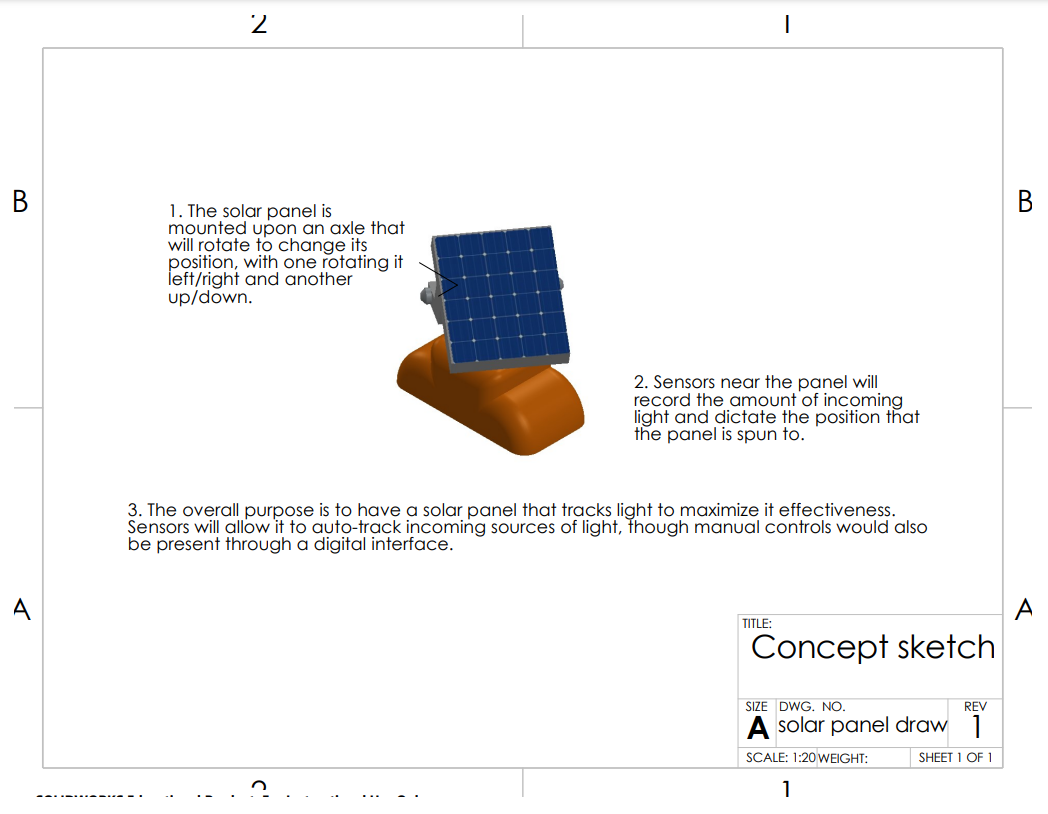
For our decision-making process, there was a focus on coming up with key features that would also mesh well together and the concept of a solar tracker had the potential to integrate several of these features. The end result involved the core concept of creating a solar panel that can follow sunlight automatically to improve its output through the application of several features. Combined these features would use light and voltage sensors to drive a motor, while also including app-based and physical interfaces. This would showcase to students both automation and renewable (solar) energy and allowed us to clearly divide up different features among the four systems that would be involved in the project. Throughout the project, there was a need to adapt the systems to respond to problems that arose in both software and hardware development, though the core idea of a solar tracker remained. While there were changes like the removal of features like the voltage sensor and its corresponding display, the concept remained visually and conceptually the same.
Presentation
Youtube Link: https://www.youtube.com/watch?v=1WfjeSirecg